 Download
Coming up with more gaming content ideas does not have to mean spending more hours recording. If you already play, stream or record regularly, a single session can contain enough material for highlights, short-form clips, tutorials, reactions, compilations and longer videos. The useful shift is to stop treating every upload as something that needs its own recording session.
A better principle is diversify the output, not the input. Play or stream once, preserve the moments worth keeping, then adapt those moments for the formats and platforms that actually matter to your audience. Instead of doing ten separate pieces of production work, you build several useful outputs from source material you were already creating.
10 gaming content ideas you can get from one session
You do not need all ten of these from every session. Think of them as possible outputs. A competitive match might produce a great tutorial and several highlights, while a chaotic multiplayer session might be much better suited to funny clips and a compilation.
- Best gameplay highlights. Pull out the strongest plays, clutch moments, boss fights, escapes or other sequences that stand on their own.
- Funny moments. Unexpected physics, strange NPC behaviour, multiplayer chaos, misunderstandings and accidental mistakes often work without needing an elaborate premise.
- Wins and fails. A successful play and the attempt that went badly can both be useful, particularly when the outcome is obvious quickly.
- Reaction clips. Preserve your genuine response to an unexpected reveal, close match, surprising mechanic or ridiculous moment alongside the gameplay that caused it.
- Short tutorials. If you discover a useful mechanic, route, setting, strategy or solution while playing, turn that section into a focused explanation.
- Discoveries and hidden details. Interesting locations, easter eggs, unusual interactions and easily missed details can become compact standalone posts.
- Commentary clips. A useful observation about a game, update, strategy or design choice can become content even when the gameplay itself is not spectacular.
- Vertical clips. Adapt strong moments for Shorts, TikTok or Reels with framing, pacing and context designed for a vertical feed.
- Horizontal compilations. Combine several related moments into a themed collection such as the funniest mistakes, best plays or highlights from a particular game.
- Longer-form videos. A session can provide examples and supporting footage for guides, reviews, challenge videos, retrospectives or commentary pieces rather than simply becoming an unedited recording.
Screenshots are another useful by-product. A visually striking frame, scoreboard, unusual bug or reaction can support community posts, thumbnails or discussions even when the surrounding sequence does not justify a full video.
The same gaming moment can become several different posts
Repurposing does not have to mean uploading exactly the same file everywhere. The underlying moment can stay the same while its presentation changes. Imagine you pull off an unlikely one-versus-three win during a multiplayer match. That one event could become a short vertical clip centred tightly on the action, a longer horizontal highlight that includes the setup, part of a weekly compilation, a commentary clip explaining the decision that won the fight, or even a screenshot paired with a community discussion.
This distinction matters because platforms and viewing contexts are different. A person deliberately clicking a YouTube video can be given more setup than somebody encountering a vertical clip while scrolling. Likewise, a Discord community that already knows you may appreciate a raw funny moment that would confuse a completely new viewer.
Change the framing, not just the file
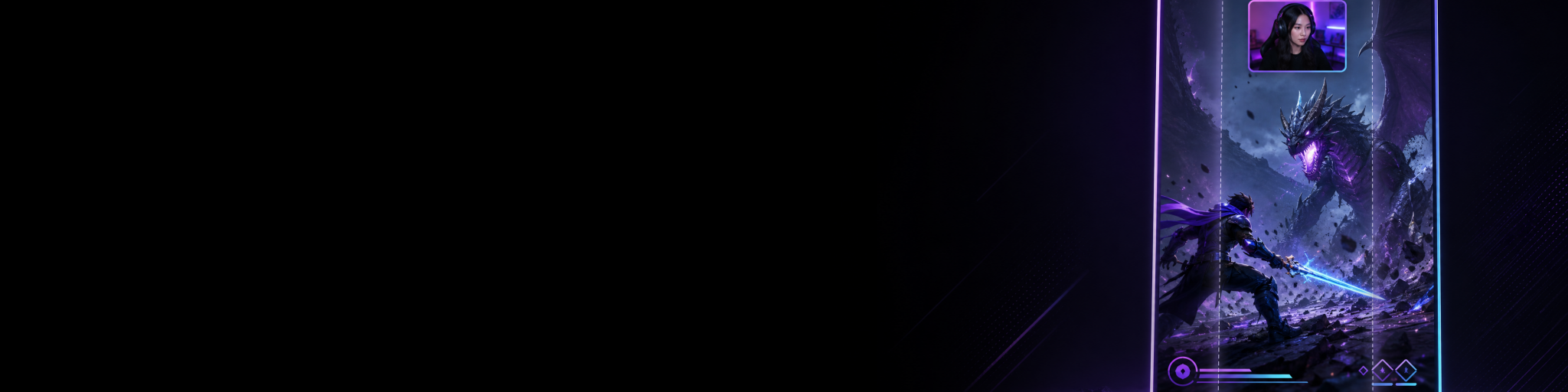
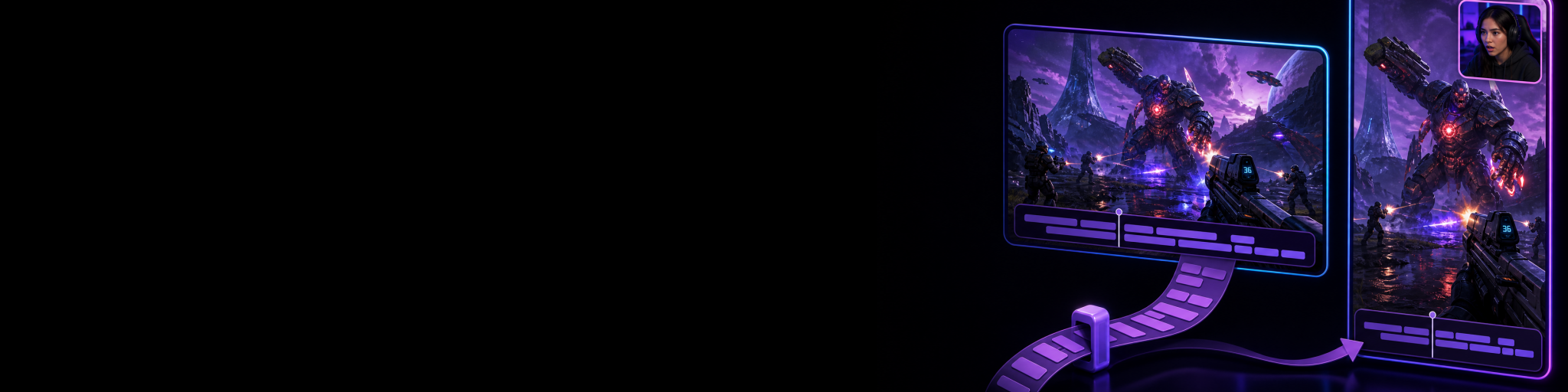
Horizontal 16:9 footage gives you room for the wider game scene and suits conventional YouTube videos and many gameplay highlights. Vertical 9:16 content has much less horizontal space, so the important action, webcam and other visual elements need to remain legible in a narrower composition. Simply cropping the centre of a horizontal recording can remove HUD information, enemies, subtitles or other context that made the moment understandable.
Cutscene Replay can capture independent horizontal 16:9 and vertical 9:16 layouts from the same gameplay moment. For creators who regularly publish in both orientations, that can reduce the need to crop or reconstruct the vertical version afterwards. It is one example of moving format decisions closer to capture rather than leaving every adaptation until the editing stage.
Adjust the opening hook and context
A longer video can spend time explaining what is happening. A short clip usually needs to establish the interesting part much sooner. That might mean beginning closer to the payoff, adding concise captions where they help comprehension, or preserving a few seconds of setup so the result actually makes sense.
Do not interpret this as a requirement to make every clip frantic. The goal is to remove unnecessary delay while retaining enough information for a viewer who was not there during the original session.
Adapt duration and pacing
The most interesting ten seconds of a gaming session might work perfectly as a short post. The complete encounter might deserve several minutes on YouTube. Five similar moments could work better together as a compilation. The source material is shared, but the useful edit depends on what the viewer is being asked to watch.
Diversify the output, not the input
Creators often hear that they should publish more formats on more platforms. Taken literally, that advice can turn one hobby or business into several separate production schedules. Record a YouTube video. Make something different for TikTok. Record another idea for Shorts. Prepare something for Instagram. Stream as well. The workload grows much faster than the available time.
The alternative is to treat the gaming session as your source layer. You were going to play or stream anyway. Your content workflow begins by recognising which parts of that session have value, not by inventing a separate recording task for every destination.
Play or stream once → identify and capture worthwhile moments → prepare the right formats → distribute them where they fit.
That does not mean every captured moment needs to appear everywhere. A technical discovery may suit a searchable YouTube tutorial. A five-second disaster might be ideal for a vertical feed or your Discord community. A sequence of good plays may only become worthwhile after you have collected enough for a compilation.
Choosing fewer appropriate destinations is usually more manageable than maintaining accounts simply because they exist. Repurposing gives you options; it does not create an obligation to publish on every platform.
Capture interesting moments while they are still easy to find
The biggest practical problem with extracting content from a gaming session often appears after the session ends. You remember that something hilarious happened somewhere during a three-hour recording, but not exactly when. Finding it now means scrubbing through a large file or VOD and hoping you recognise the right section.
Continuous recording has legitimate advantages, especially when you want a complete archive or expect to produce long-form material from the session. But if your main objective is preserving spontaneous highlights, replay capture can make the selection process happen much earlier.
A replay buffer continuously keeps a recent window of gameplay available so that, when something worth keeping happens, you can save that recent period after the event. If you are new to the concept, the guide to recording the last 30 seconds of gameplay explains how replay buffers differ from conventional recording.
Cutscene Replay uses this replay-oriented approach, allowing worthwhile moments to be saved with hotkeys as they happen. That can leave you with a smaller library of deliberately preserved source clips instead of requiring you to search an entire session later. OBS and Streamlabs can also support replay-oriented workflows; the OBS vs Streamlabs clipping comparison covers how those approaches fit creator workflows.
Keep source clips reusable instead of treating them as one-use posts
A saved clip does not have to disappear from your workflow after its first upload. Keeping useful source material organised gives you building blocks for future content.
Suppose you save a clever movement technique during a session. Today, it might become a 20-second vertical clip. Next month, you could reuse the same source in a longer tutorial. Later, it might appear again in a compilation of techniques or as supporting footage in commentary about how your play style changed.
The important distinction is between the source moment and the published edit. Keep the useful source where practical. Then create different edits from it when there is a reason to do so.
A repeatable workflow for turning one session into more content
1. Play or stream normally
Do not make the capture system so demanding that it interferes with playing. Your session is the source. The workflow should make useful moments easier to preserve without requiring you to constantly think like an editor.
2. Save moments with future uses in mind
When something interesting happens, preserve it. Do not limit yourself to obvious highlight-reel plays. Useful moments can include explanations, mistakes, discoveries, reactions, unusual interactions and examples that might support a future tutorial.
Automatic clipping can also be useful in some streaming workflows, particularly when a platform can identify notable moments or when hands-free capture matters. The comparison of automatic stream clips and local replay buffers explains the trade-offs between automatic detection, triggered capture and locally preserved replays.
3. Review the smaller pool of useful material
After the session, review the clips you deliberately preserved rather than starting with hours of footage. Remove anything that seemed exciting in the moment but does not hold up. Mark the strongest clips and consider what each one could become.
4. Match each moment to an appropriate format
Ask what the moment actually needs. Does it make sense instantly, or does it need context? Is the important action readable vertically? Is there enough substance for a tutorial? Would several related clips work better together? This is where one source can branch into several outputs without automatically creating all of them.
5. Make the minimum useful edit for each destination
Trim dead time, choose the right framing, adjust pacing and add captions or overlays when they genuinely improve the clip. A quick gaming highlight does not need to pass through a heavyweight long-form editing process simply because professional editing software can do more.
Cutscene Replay includes a lightweight editor for common clip tasks such as trimming, cutting, playback-speed changes, audio adjustments, fades, captions and media overlays. It is intended for practical creator workflows rather than replacing professional NLEs such as DaVinci Resolve, Premiere Pro or Final Cut Pro. For a complex long-form project, a full NLE may still be the appropriate next step.
6. Publish selectively
Send each piece where it has a useful role. You might publish a polished horizontal guide on YouTube, extract one concise vertical explanation for Shorts or TikTok, and share a funny outtake with an existing Discord community. You do not need three versions when one version already reaches the people you care about.
How to adapt gaming content for different platforms
- YouTube: Horizontal videos can provide more setup, explanation and narrative structure. Strong session footage can support guides, commentary, compilations and edited highlights rather than only raw gameplay.
- YouTube Shorts: Focus on a concise idea or moment that works vertically. Make the important action readable in the narrower frame and get to the relevant context quickly.
- TikTok: Short gaming moments, reactions, discoveries and compact explanations can fit naturally when edited around the specific idea rather than treated as a cropped copy of a longer video.
- Instagram Reels: Vertical highlights and concise creator-led moments can reuse the same underlying source, with framing and pacing prepared for vertical viewing.
- Discord: Existing communities may need less introduction, making Discord useful for rawer highlights, funny moments and clips that benefit from conversation with people who already know the context.
- Other communities and platforms: Start with where your actual audience spends time and adapt to that viewing context instead of building a publishing checklist around every available service.
If Discord is an important part of your gaming workflow, the guide to Discord Clips and replay capture software looks more closely at the difference between casual in-app clipping and a broader creator-focused capture process.
Example: turning one two-hour session into a week of usable material
Imagine you spend two hours playing a competitive game. During the session you save six moments: a strong win, a ridiculous mistake, a useful technique, a surprising discovery and two good reactions.
The win becomes a short horizontal highlight and a tighter vertical version. The mistake becomes a standalone funny clip. The useful technique becomes a concise tutorial, with the original footage kept for a future longer guide. The discovery becomes a community post or short explainer. The two reactions are saved until you have enough similar material for a compilation.
You have not created six new recording jobs. You played for two hours, preserved six useful pieces of source material and then chose the outputs that justified the editing time. Some clips produced something immediately; others became assets for later.
Avoid turning repurposing into another content treadmill
There is an easy trap here: once you realise a session can produce many pieces of content, you can start feeling that it must produce all of them. That defeats the point.
The objective is leverage, not volume for its own sake. A mediocre moment does not become better because you exported it in three aspect ratios. A platform that does not suit your audience does not deserve extra work simply because you can publish there.
A sustainable system therefore includes saying no. Preserve promising source material, choose the strongest ideas, adapt them where necessary and leave the rest alone. The efficiency comes from having options without needing another gaming session every time you want another piece of content.

Turn the moments you
already create into clips
Try Cutscene Replay if you want to preserve gameplay moments as they happen and prepare horizontal and vertical content without recording a separate session for each format.
Build your content workflow around moments worth keeping
The most useful gaming content ideas are often already happening during the sessions you would play or stream anyway. Highlights, fails, reactions, tutorials, discoveries, vertical clips, compilations and longer videos can all begin with the same underlying material.
The practical change is to recognise and preserve those moments early, keep useful source clips reusable, and adapt the output to the audience and format instead of repeatedly recreating the input. That gives you a broader range of content without automatically demanding more time behind the record button.
For creators who want replay capture, separate horizontal and vertical layouts, a clip library and lightweight editing in the same workflow, Cutscene Replay is designed around shortening the path from an unexpected gaming moment to a publishable clip.