 Download
Saving gameplay, a facecam and separate audio files sounds like the flexible option, and it is. You can resize the camera, repair a framing choice, lower game sound, or bring commentary forward after a great moment has already happened.
But separate files alone do not make a replay reliably editable. An editor also needs to know which part of every file belongs to the saved highlight, how those sources line up with one another, and how to rebuild the original capture without guesswork. That is where aligned timing and a capture manifest matter.
Separate files are ingredients, not an edit-ready replay
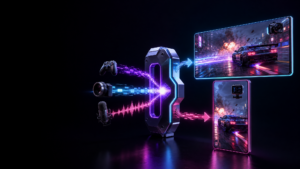
Imagine you save the last 45 seconds of a match. The finished replay is one shareable video, while the editable package contains separate gameplay, webcam, microphone and game-audio recordings.
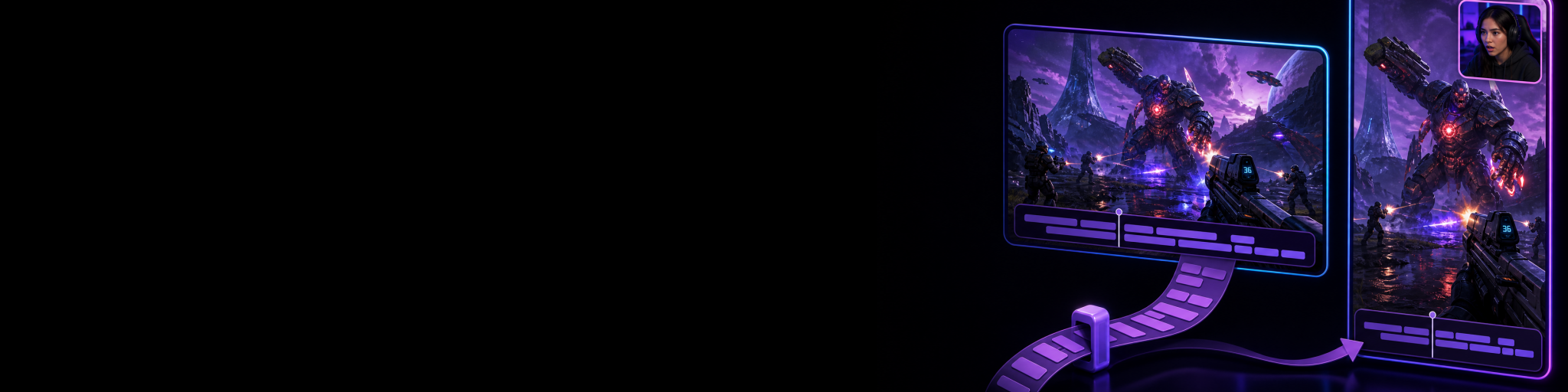
Those source files give you options that a flattened video cannot: you can move the facecam away from an important HUD element, crop gameplay differently for a vertical version, mute a noisy voice-chat moment, or rebalance your reaction against the game.
The catch is that each file is only useful if it can be placed at the correct point in the same 45-second event. If the editor cannot tell where the replay begins inside a longer source recording, or whether the microphone and gameplay start at precisely the same point, you are left manually lining things up.
That manual work is more than an inconvenience. A small timing mismatch can make a reaction land before the play, put speech slightly out of sync with the action, or make a camera cut feel wrong. The more sources involved, the more opportunities there are to match the wrong files or trim the right files incorrectly.
What aligned timing actually means
Aligned timing means the compiled replay and every retained source refer to the same selected replay interval. In plain language: if your saved clip starts at the moment an opponent appears and ends after your reaction, the gameplay, facecam and audio sources all point to that exact start and end window.
It does not mean every source has to look alike. A webcam may be a different resolution from gameplay, and audio does not have a visual frame at all. Alignment is about their shared position in time.
- At 00:00, the gameplay, camera and audio all begin at the same point in the saved moment.
- At 00:18, your spoken reaction lines up with the play that caused it.
- At 00:45, every source ends with the same replay window, rather than each file ending wherever its independent recording happened to stop.
This shared interval is especially important for replay capture. A replay buffer preserves a recent moment after it happens, so the useful clip is often a selected section of ongoing capture rather than a set of files deliberately started and stopped by hand. The system needs a dependable way to identify the corresponding section in each source.
Why a capture manifest matters
A capture manifest is the record that explains the package. Think of it as a small map that says which files belong to this replay, what role each file plays, and how they relate to the saved interval.
Without that map, an editor may see several similarly named recordings and have to answer basic but risky questions: Is this webcam file from the same highlight? Is this audio track the microphone or game sound? Does this source begin before the replay, and if so, where is the actual in-point?
A useful manifest removes that detective work. It ties the source media back to the replay and gives the editing workflow enough relationship and timing information to reconstruct the project correctly. The result is not merely a folder full of assets; it is a coherent edit package.
That distinction becomes more valuable when you save several highlights during a session. Separate files with no relationship information become increasingly difficult to identify later. A manifest keeps each replay associated with its own sources instead of making you compare waveforms, scrub through footage and hope you matched the correct moment.
A practical example: fixing a clip after the moment
Say you capture a clutch play with gameplay, facecam, microphone and game audio. The compiled replay is good enough to watch, but the vertical edit has a problem: the facecam covers an important on-screen notification, and your microphone is quieter than the game during the reaction.
With only a finished video, your choices are limited. You can crop the whole image, accept the blocked notification, or attempt audio fixes on a mixed soundtrack. You cannot truly move one baked-in layer without affecting the others.
With separate sources that share the replay interval, an editor can rebuild the same moment from the original ingredients. The facecam can move without moving gameplay. The microphone can come up without raising game audio. Because the sources are aligned, the visual adjustment and audio adjustment still match the play and reaction viewers saw in the original replay.
The manifest is what makes this workflow dependable rather than improvised: it identifies the relevant source files and preserves their relationship to the saved moment.
What goes wrong when source timing is missing
You can sometimes repair unaligned recordings manually, particularly when there is an obvious sound cue or visual event to use as a reference. But that is a recovery task, not a workflow worth depending on.
- Drifting sync: speech, reactions and gameplay no longer land together after trimming or placement errors.
- Wrong source selection: files from a nearby recording or another saved replay are accidentally paired with the clip.
- Slower reframing: you spend time finding the correct section of each file before making the creative change you actually wanted.
- Fragile hand-off: another editor receives media but not enough context to reconstruct the intended replay confidently.
- Less use of the editable package: the friction is high enough that you settle for the flattened clip, even when it needs fixing.
This is why “separate tracks” and “editable sources” should not be treated as identical claims. Separate tracks provide the raw flexibility. Shared timing and source relationships make that flexibility practical.
How Cutscene Replay keeps editable sources connected
Cutscene Replay can optionally save independent source recordings alongside a replay, while keeping the compiled output and editable sources tied to the same selected replay window. Eligible visual sources can remain individually editable, and independent audio sources can remain available for later mixing.
Its capture manifest records the relationship between the replay and its source media, so the editor can reconstruct and validate the source-based project rather than asking you to manually match anonymous files. That makes post-capture changes, such as repositioning a facecam or rebalancing commentary, far more straightforward.
If you are deciding whether source preservation is worth using, the practical test is simple: will you ever want to change layout, framing or audio after a highlight is saved? If the answer is yes, use a workflow that preserves both the independent sources and the timing information that keeps them usable. Learn more about Cutscene Replay’s clip and source-footage workflow.

Keep the replay editable when it matters
Try Cutscene Replay when you want to save the moment quickly while retaining separately editable source footage for the clips that need another pass.
When a flattened replay is enough
You do not need an editable source package for every clip. If a replay is already framed correctly, its audio mix is right, and you only need to trim or publish it, a finished video is simpler to store and quicker to use.
Editable sources earn their place when the moment is valuable enough that you may want a second pass: a standout highlight, a clip that needs both horizontal and vertical treatment, an important reaction, or footage intended for a more careful edit later. For those clips, timing data is what turns separate recordings into a dependable creative option instead of extra files to manage.