 Download
The smarter way to clip
Clip. Organise.
Edit. Share.

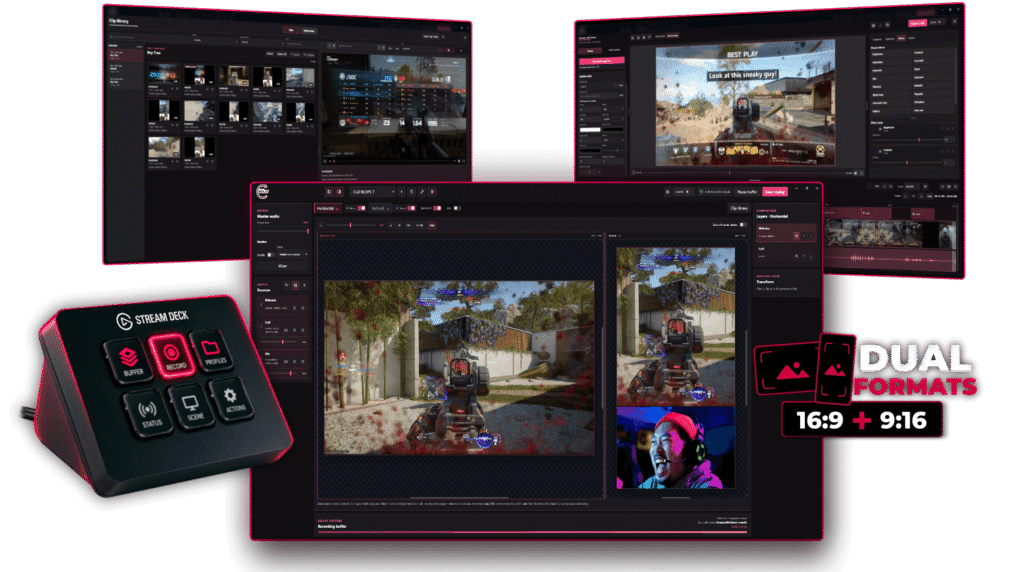
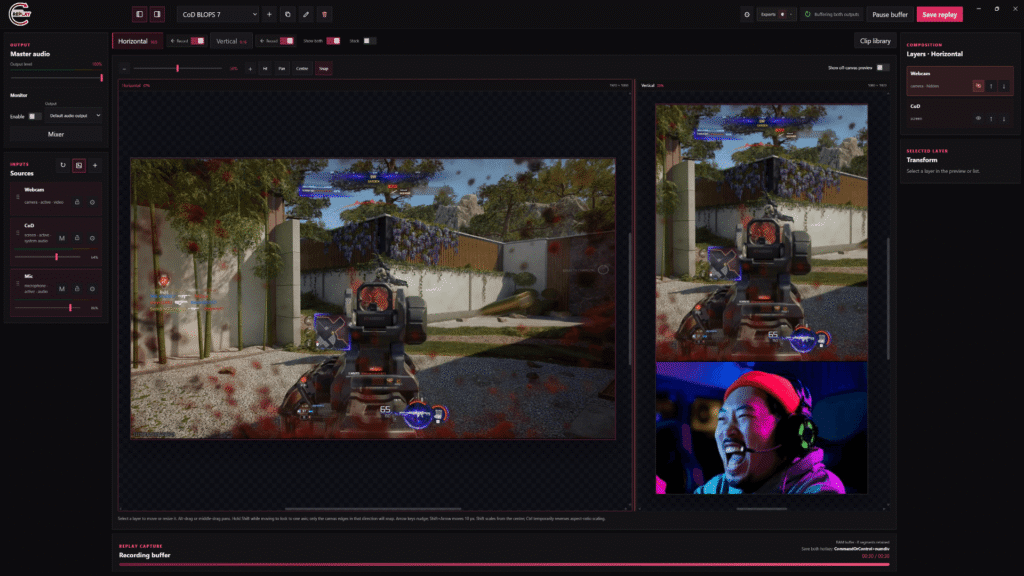
Capture key moments with ease – save and export 2 canvases with one hotkey
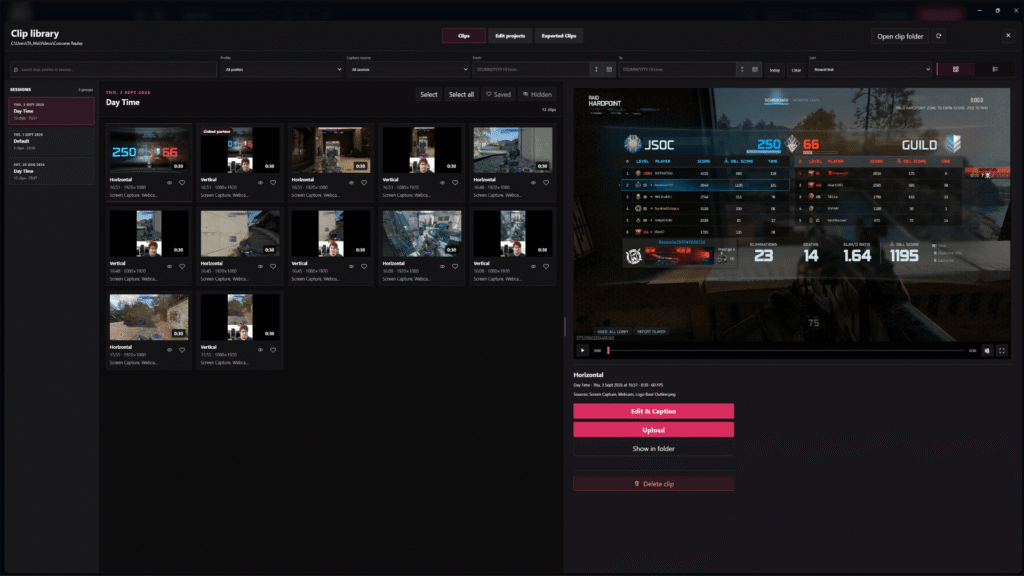
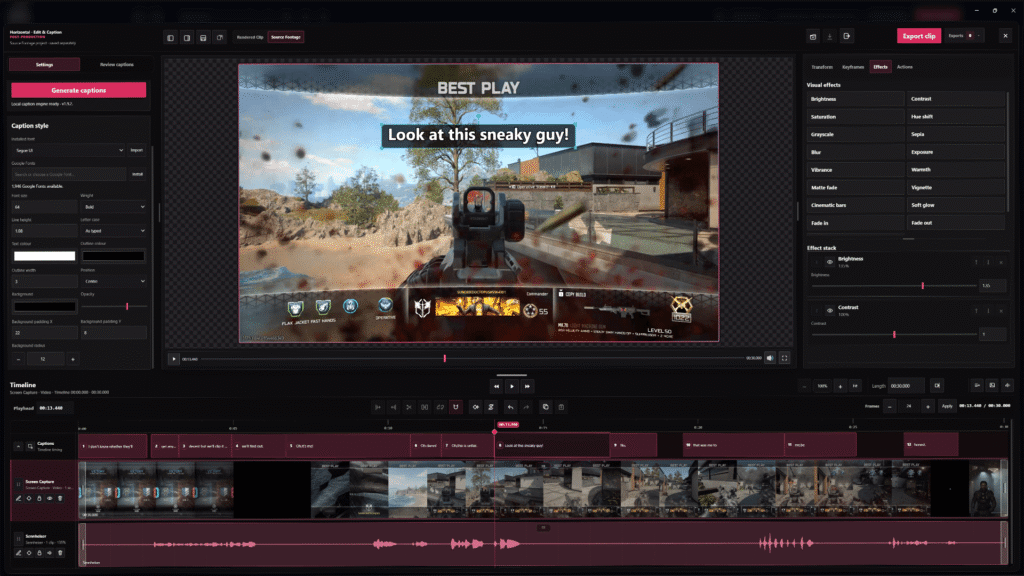
Organise, preview and manage every clip in the clip library
Edit clips, add captions, export or upload without leaving Cutscene
Full access for 14 days.
No account or card required.
Built for creators
Everything you need.
Nothing you don’t.
Cutscene Replay is a Windows desktop replay-recording and editing app for creators. Capture recent gameplay, screen, camera and audio sources, then clip, edit and export horizontal and vertical content.

Background replay capture
Keep the last few minutes ready and save the moment with a hotkey – without recording an entire session.

Horizontal and vertical
Capture two independently designed outputs from the same moment, ready for different platforms.

Clip Library
Keep captured and edited clips organised, preview them quickly and jump straight back into your workflow.

Built-In Clip Editor
Trim, split and arrange clips, add media and audio, adjust playback and prepare content without leaving Cutscene.

Automatic Captions
Generate captions locally, review the transcript and style captions for your content before export.

Editable Source Exports
Keep gameplay, webcam and audio as separate files, with project data available for further editing.
Simple Workflow
Capture. Refine. Share.

Play & Capture
Cutscene runs in the background while you play or stream. Save the moment when it happens.

Review & Edit
Find clips in your library, trim the moment, add captions, media or audio and prepare it for sharing.

Export & Share
Export a finished clip in seconds, or keep the individual sources for more detailed editing elsewhere.
Why Cutscene Replay?
One hotkey. Two formats.
Every source.
Cutscene Replay turns one captured moment into independently designed horizontal and vertical clips, while preserving the original video and audio sources for editing.
| Workflow feature | Cutscene Replay Complete workflow | Other Replay tools | Other Recording software | Automated clipping |
|---|---|---|---|---|
| Horizontal and vertical clips from one hotkey | Both formats captured together | Single replay output | Separate layouts and outputs | Reformatted after capture |
| Independent canvas for each format | Independent horizontal and vertical canvases | One captured frame | Separate scenes required | Crop or automatic reframe |
| Both completed formats exported together | One capture workflow | One output | Separate output workflow | Separate exports |
| Every video source exported separately | Source-level video exports | Flattened replay clip | Advanced source setup | Finished clip only |
| Individual audio sources exported separately | Individual source audio | Mixed clip audio | Manual track setup | Finished clip audio |
| Sources retained without appearing in the final clip | Record sources without compiling them | Flattened capture | Additional routing required | Finished clip workflow |
| Capture continues after the hotkey is pressed | Configurable post-capture delay | Fixed past window | Manual continuation | Service-defined window |
| Editor-ready output package generated automatically | Clips, sources and project data | Replay file only | Manual preparation required | Social clip workflow |
This table compares the standard built-in workflows commonly associated with each category. Individual products, plugins and custom configurations may provide additional functionality.
Try Cutscene Replay out
Capture the moment without losing the edit.
Experience every Cutscene Replay feature.
Try every Cutscene feature free for 14 days. No account or card required.
Start Clipping Instantly
Subscribe To Cutscene Replay
Monthly or annual subscription available.
/monthly
 Subscribe Monthly
Billed monthly. Cancel anytime.
Not ready to subscribe?
Try every Cutscene feature free for 14 days.
No card required.
No account or card required.
Creator Programme
Create more. Share more. Grow together.
Join the Cutscene Replay Creator Programme. Create more content and grow alongside the platform.
No posting quota or minimum audience size required.

Complimentary access to Cutscene Replay
Featured on the Cutscene creator page
Exclusive creator merchandise
Private Discord and early access
Option to join the affiliate programme
Create once. Publish everywhere.


Need more Details
Frequently asked questions
Where can I download Cutscene Replay?
You can download Cutscene Replay directly from the Microsoft Store. Once installed, open the app and enter your existing licence key, or choose the option to start a trial if you don’t already have a licence.